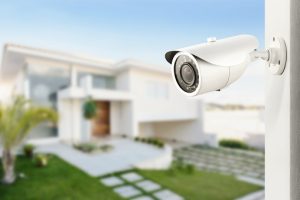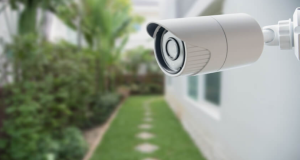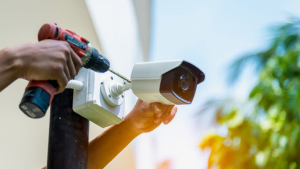
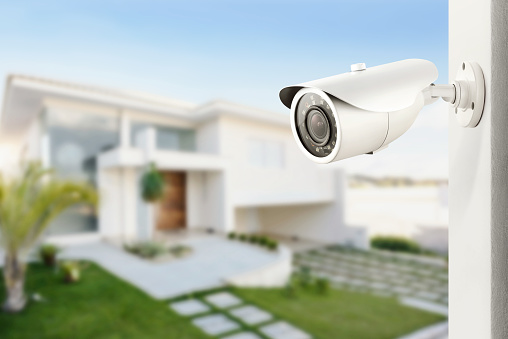
A doorbell camera catches the delivery driver. A driveway camera catches the car pulling in. A full CCTV system catches the whole story.
That difference matters.
Many homeowners buy the first camera that seems easy, mount it near the front door, and assume the home is covered. Then something happens near the garage, side gate, or backyard, and the camera records just enough to be frustrating. A shadow. A sleeve. A blurry figure walking out of frame.
That is why choosing CCTV systems for home should start with layout, not with the camera box.
Good home security camera planning is not about covering every wall. It is about knowing where people enter, where they pause, where your blind spots are, and what you need to see clearly when it counts.
As Benjamin Franklin famously said, “An ounce of prevention is worth a pound of cure.” The line was originally tied to fire prevention, but the same idea fits home security: it is easier to plan coverage before a problem than to wish you had a better view afterward.
Key Takeaways
- A doorbell camera helps at the front door, but it rarely covers the whole property.
- A driveway camera is smart if vehicles, garages, or approach paths matter.
- A full CCTV setup works best for homes with multiple entrances, side access, or backyard blind spots.
- Wi-Fi strength, camera angle, lighting, and recording storage matter as much as camera quality.
Why the Right Camera Setup Matters Now
Crime numbers move up and down, but homeowners still need clear visibility around their property. The latest Bureau of Justice Statistics report found that U.S. property offense rates fell 9% from 2023 to 2024, dropping from 2,019.7 to 1,835.1 per 100,000 people. Burglary also fell from 255.6 to 230.0 per 100,000, while motor vehicle theft dropped 19%.
That is good news, but it does not mean homeowners should ignore security. It means the goal should be practical prevention, not panic buying.
The FBI’s 2024 crime summary also shows that burglary and larceny-theft rates have decreased nearly every year since 2005, but motor vehicle theft remains an important concern for many property owners.
In plain language: a smart camera setup is not about fear. It is about awareness, proof, and peace of mind.
What Is the Difference Between a Doorbell Camera, Driveway Camera, and Full CCTV System?
A doorbell camera watches the front entrance. A driveway camera watches cars, garages, walkways, and front approach paths. A full CCTV system uses multiple indoor and outdoor cameras to cover key areas around the home.
Here is the simplest way to think about it:
- Doorbell camera: Best for visitors, packages, and front-door activity.
- Driveway camera: Best for vehicles, garages, and people approaching from the street.
- Full CCTV system: Best for whole-property coverage, including side gates, back doors, yards, garages, and blind spots.
This is where many homeowners make the first mistake. They ask, “What is the best camera?” when the better question is, “What do I need this camera to see?”
When Is a Doorbell Camera Enough?
A doorbell camera system can be enough for smaller homes, apartments, condos, townhomes, and rental properties where the main concern is the front door.
It works well when the goal is to:
- See who is at the door
- Watch package deliveries
- Speak to visitors remotely
- Check basic front porch activity
- Add a simple first layer of security
For a small property with one main entry point, this may be all the homeowner needs at first.
But a doorbell camera has limits. It usually will not show the driveway clearly. It may not cover the garage. It may miss someone approaching from the side. If the porch has columns, steps, a deep entryway, or harsh lighting, the view can be less useful than expected.
A doorbell camera is a front-door camera. It is not a full home perimeter security system.
When Does a Driveway Camera Make More Sense?
A driveway security camera is the smarter choice when cars, garages, deliveries, or front approach paths matter.
Think about what happens in a driveway. Cars sit there overnight. Delivery drivers walk through it. Guests pull in. Strangers may turn around in it. Someone checking car doors will often never walk close enough for a doorbell camera to record useful detail.
A driveway camera helps answer questions like:
- Who pulled into the driveway?
- Did someone approach the garage?
- Did a vehicle enter or leave?
- Was a parked car touched or damaged?
- Did someone walk toward the side yard?
Placement matters here. Mount the camera too high, and faces become hard to identify. Mount it too low, and it may be easy to reach. Point it too wide, and everything looks far away. Aim it toward headlights or reflective surfaces, and the night view may suffer.
The best driveway camera view usually balances three things: approach path, vehicle area, and facial detail.
When Should a Homeowner Choose a Full CCTV System?
A full CCTV system is the better choice when one or two cameras cannot tell the whole story.
This is common for homes with:
- More than one entry door
- A garage or detached garage
- A side gate
- A backyard or patio
- A basement entrance
- A long driveway
- A corner lot
- Rental units or duplex layouts
- Weak visibility from the street
- Existing Wi-Fi problems
A full residential video surveillance system may include cameras at the front door, driveway, garage, side access, rear entrance, and backyard. Some homeowners also add indoor home surveillance near major entry areas, but indoor cameras should always be placed with privacy in mind.
The goal is not to watch every room. The goal is to see the path someone takes around the property.
That is what a single doorbell camera often misses.
The 3-Zone Camera Planning Method
Before buying anything, divide the home into three simple zones.
| Zone | What It Covers | Best Camera Type | Common Mistake |
| Entry Zone | Front door, porch, main entrance | Doorbell or fixed entry camera | Assuming it covers the driveway too |
| Approach Zone | Driveway, walkway, garage, street-facing side | Outdoor CCTV camera | Mounting too high or too wide |
| Perimeter Zone | Backyard, side gate, basement door, patio | Full CCTV coverage | Forgetting dark corners and side access |
This method keeps the decision practical. Instead of asking, “How many cameras should I buy?” the homeowner can ask, “Which zones are exposed?”
That question leads to better security camera placement at home.
How Many CCTV Cameras Does a Home Really Need?
Most homes need fewer cameras than people think, but each camera needs a clear job.
A simple guide:
- Apartment, condo, or small townhome: 1 to 2 cameras
- Small single-family home: 2 to 4 cameras
- Medium home with driveway and backyard: 4 to 6 cameras
- Large home or corner property: 6 or more cameras
These numbers are only a starting point. Layout matters more than size.
A small house with a detached garage may need more cameras than a larger home with one main entrance. A corner property may need more coverage than a mid-block home. A home with a side gate may need a camera there even if the front looks secure.
The right CCTV Systems for home should match how people actually move around the property.
Wired vs Wireless CCTV System: Which Is Better?
Wireless cameras are easier to install in simple setups. Wired cameras are usually more stable for larger systems, outdoor coverage, and long-term recording.
Wireless cameras may be a good fit when:
- The home has strong Wi-Fi
- Only one or two cameras are needed
- The camera is close to the router or access point
- The homeowner wants a simple setup
Wired cameras may be better when:
- The home needs several cameras
- Cameras must record consistently
- The driveway, garage, or backyard has weak Wi-Fi
- The homeowner wants cleaner long-term installation
- The system needs local recording
This is where many camera problems are really network problems. A camera may be fine, but if the signal drops near the garage or backyard, remote monitoring cameras may lag, miss clips, or stop recording.
The Federal Trade Commission also reminds consumers to protect camera privacy by securing the feed, using encryption where available, and locking down remote access to devices and accounts. The FTC also recommends changing default usernames and passwords and using two-factor authentication when available.
A camera that is easy to view from a phone should also be hard for the wrong person to access.
What Most Homeowners Get Wrong About Camera Coverage
The biggest mistake is treating cameras like decorations.
A camera is not useful because it is visible. It is useful because it captures the right detail from the right angle at the right time.
Do This, Not That
Do this: Aim cameras where people naturally walk.
Not that: Point cameras at random open space.
Do this: Test the night view before final placement.
Not that: Assume daytime clarity means nighttime clarity.
Do this: Check Wi-Fi strength before choosing wireless cameras.
Not that: Blame the camera when the network is weak.
Do this: Plan how long recordings should be stored.
Not that: Find out later that the important clip was overwritten.
Do this: Use indoor cameras carefully and respectfully.
Not that: Place cameras in private areas of the home.
This is also why professional security camera system design can save money. A planned setup avoids buying cameras that do not solve the real problem.
What About Resolution, Night Vision, and Motion Detection?
Camera quality matters, but it does not fix poor placement.
A high-resolution camera pointed in the wrong direction is still a bad security tool. Motion detection cameras can reduce wasted footage, but they need proper settings. Night vision security cameras help after dark, but they still need the right angle and lighting conditions.
Here is what to look for:
- Resolution: Clear enough to identify faces, vehicles, and movement.
- Field of view: Wide enough to cover the area, but not so wide that detail gets lost.
- Night vision: Strong enough for driveways, yards, and entrances.
- Motion zones: Tuned to avoid constant alerts from cars, trees, pets, or street traffic.
- Storage: Set up so useful footage is available when needed.
- Remote access: Easy for the homeowner, secure against unwanted access.
The National Institute of Standards and Technology Cybersecurity Framework 2.0 organizes cybersecurity around six core functions: Govern, Identify, Protect, Detect, Respond, and Recover. A homeowner does not need to become a cybersecurity expert, but the same basic idea applies: know what is connected, protect access, detect issues, and respond quickly.
A Familiar Scenario: The Camera That Missed the Moment
Imagine a homeowner installs one doorbell camera after a missing package. It works well for visitors. It records delivery drivers. It even catches the neighbor’s dog making suspicious eye contact with the welcome mat.
Then, weeks later, someone walks up the driveway at night and checks the car doors.
The doorbell camera catches a small movement at the edge of the frame, but nothing useful. No face. No clear path. No view of the vehicle.
The camera did not fail. The plan failed.
A better setup would use the doorbell camera for the entry, a driveway camera for vehicles, and possibly a side camera if the driveway connects to the backyard or garage.
That is the heart of camera coverage planning. Each camera needs a job.
Cost of CCTV System for a House: What Affects Price?
The cost of a CCTV system for a house depends on the number of cameras, camera type, wiring needs, recording setup, storage, Wi-Fi strength, and whether the system connects with alarms or smart home features.
The biggest cost factors are:
- Number of cameras
- Wired or wireless setup
- Indoor vs outdoor placement
- Camera resolution and night vision
- Local or cloud recording
- Difficulty of cable routing
- Network upgrades
- Mobile viewing setup
- Alarm or smart home integration
The cheapest system is not always the most affordable in the long run. If it misses the driveway, drops offline, or records poor night footage, the homeowner may end up replacing it.
A better goal is simple: buy the coverage the home actually needs, not the biggest package or the cheapest camera.
When Professional Home CCTV Installation Is Worth It
DIY can work for a simple doorbell camera or a single indoor camera. Professional home CCTV installation becomes more valuable when the home needs multiple cameras, clean wiring, reliable recording, Wi-Fi support, or integration with alarms and smart home automation.
Professional installation helps with:
- Correct camera height
- Better viewing angles
- Clean cable routing
- Stronger Wi-Fi planning
- Reduced blind spots
- Remote viewing setup
- Recording system configuration
- Security camera system design
- Smart home security integration
The Security Industry Association works on industry standards across areas such as perimeter security, audio, intelligent communications, interoperability, and information sharing. The Electronic Security Association represents the electronic security and life safety industry, including companies involved in installation, integration, monitoring, video surveillance, and access control.
That matters because modern camera installation is not just “putting up cameras.” It involves security, networking, wiring, privacy, and daily usability.
Quick Home CCTV Checklist Before You Buy
Before choosing a camera setup, walk around the property and check these areas:
- Front door: Can the camera see a face clearly?
- Driveway: Are vehicles and approach paths covered?
- Garage: Is the main door or side door exposed?
- Side gate: Can someone reach the backyard unseen?
- Back door: Is the rear entrance visible at night?
- Yard or patio: Are valuables or access points exposed?
- Wi-Fi: Will wireless cameras stay connected?
- Storage: Will video be saved long enough to be useful?
- Privacy: Are indoor cameras placed respectfully?
- Alerts: Will motion settings reduce false notifications?
If two or more key areas are weak, a full CCTV system may be smarter than adding random cameras one at a time.
Conclusion:
The right system is not always the biggest system. It is the system that sees what matters.
A doorbell camera may be enough for a simple front entrance. A driveway camera may be the better choice when cars, garages, and approach paths are the main concern. A full CCTV setup is usually best when the property has multiple doors, side access, backyard entry, or blind spots.
CCTV Systems for home work best when they are planned like a map, not bought like a gadget.
For a custom camera layout, clean installation, Wi-Fi support, alarm integration, and professional setup, contact D&G Alarm Systems at sales@dgalarmsystems.com or (914) 361-4316.
FAQ
1. What is the driveway vs doorbell camera difference?
A doorbell camera watches the front entrance. A driveway camera watches vehicles, garage areas, walkways, and people approaching from the street.
2. How many CCTV cameras for home use are usually needed?
A small home may need 2 to 4 cameras. A medium or larger home with a garage, backyard, or side gate may need 4 to 6 or more.
3. Where should security cameras be installed at home?
Start with the front door, driveway, garage, side gate, back door, and any dark or hidden access points.
4. What is the best camera setup for home security?
The best setup covers entry points, approach paths, and blind spots while keeping the system simple enough to manage.
5. Doorbell camera vs full CCTV system: which is better?
A doorbell camera is better for basic front-door monitoring. A full CCTV system is better for homes with multiple entrances, garages, yards, or side access.
6. What affects the cost of a CCTV system for a house?
Cost depends on camera count, wiring, storage, video quality, outdoor placement, network needs, and whether the system connects with alarms or smart home features.
7. Is a wired or wireless home CCTV system better?
Wireless works well for simple setups with strong Wi-Fi. Wired systems are often better for larger homes, outdoor cameras, and consistent recording.
8. Can camera installation include Wi-Fi support?
Yes. Camera performance often depends on network strength, so a proper setup may include Wi-Fi checks, access point planning, or structured wiring.
9. Can cameras connect with alarms or smart home features?
Yes. Many camera setups can work with alarm systems, remote monitoring, lighting, and smart home controls when the equipment supports it.
10. Is DIY CCTV installation enough for every home?
DIY may work for one simple camera. Professional installation is usually better when the property needs multiple cameras, clean wiring, reliable recording, or full coverage.